
Barnyard Games For Kids
RosiMosi LLCEducational
4.13.37K Reviews
- Version
- 10.1.0
- Installs
- 1.00M
- Age Rating
- Everyone
Screenshots
Our Review of Barnyard Games For Kids
 Analysis by Appyee
When I want to keep a young child happily occupied without turning the moment into a lesson, I look for games that make simple skills feel playful. Barnyard Games For Kids aims for that sweet spot with a collection of short activities built around familiar farm animals. It is an educational game from RosiMosi LLC, and its current version is 10.1.0. The game has a 4.1 average from around 11,000 ratings and more than a million installs, so it has clearly found an audience, though those figures alone cannot tell you whether its particular activities suit your child.
A familiar, low-pressure starting point
The appeal is easy to understand: children can move between simple games instead of being asked to stick with one long activity. That makes it useful when you have a few minutes to fill, such as while waiting for food to arrive or giving a younger sibling a quiet activity nearby. I would treat it as a small play option, not as a substitute for hands-on games, reading together, or time outdoors.
The farm theme also gives a parent an easy way into the play. Rather than handing over a device and walking away, you can sit beside your child, name the animals, ask what they notice, and let them take the lead. That little bit of conversation can turn matching or counting into a shared activity without making it feel like homework.
What the current version means for families
The game first appeared on February 10, 2012, and the current version is 10.1.0. That long span suggests an established product rather than a brand-new experiment, but I would not assume that age alone means every part will feel modern. The useful question for a family is simpler: does the present experience make it easy for a child to understand what to do and enjoy the activities?
For someone returning after a break, the practical approach is to let the child explore the available games again instead of expecting them to remember where they left off. With a collection built around separate mini-games, it is easy to make a fresh choice based on the child’s mood: a matching activity when they want a clear goal, or coloring when they would rather make something at their own pace.
Play that can prompt conversation
If your child is learning to recognize animals, the matching activity gives you natural opportunities to talk about what they see. You can ask them to find two alike, describe an animal, or imitate a sound. These prompts are more useful than simply tapping through quickly, and they let you adjust the activity to your child’s language and attention without needing a separate lesson plan.
The counting game can work similarly. Instead of focusing only on getting to the answer, pause to count together and point out each animal one at a time. If your child is already comfortable with basic counting, you can ask them to explain how they reached the total. If counting is still new, keep it light and model the steps. The game offers a starting point; the shared interaction is what makes the moment feel personal.
Where it fits among children’s games
Compared with a single-purpose number or letter app, this farm collection gives a child more than one kind of activity to try. That variety can help when a young player loses interest in repeating the same exercise. On the other hand, families looking for a structured curriculum, a clear learning path, or detailed progress tracking may be better served by a dedicated learning app. Barnyard Games For Kids is better thought of as casual practice through play than as a complete teaching tool.
It is free to download and rated Everyone, which makes trying it straightforward for many households. There are in-app purchases, priced from $4.99 to $39.99 per item, so I would check the purchase options before letting a child use the device unsupervised. The free entry point is convenient, but families should decide in advance whether they are comfortable with paid content and make sure purchase controls on the device match that decision.
What’s the Buzz About?
First things first, Barnyard Games For Kids is exactly as charming as it sounds. It’s like having a mini farm in your pocket, complete with all the cute animals and fun activities you’d expect. The app is designed for the youngest users, offering a collection of mini-games that are both entertaining and educational. It’s available on both Android and iOS, which is always a plus.
Getting Started with Barnyard Adventures
Once you fire up the app, it’s clear that it’s designed with kids in mind. The interface is bright, colorful, and super easy to navigate. No confusing menus or complicated settings here. Kids can jump right into the action, which is perfect because we all know how short their attention spans can be.
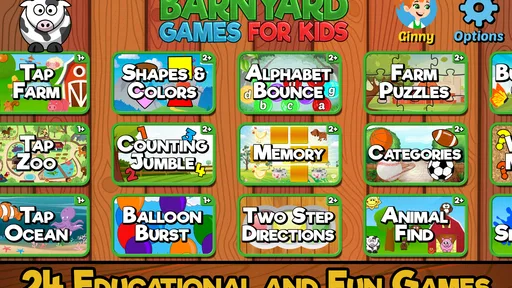
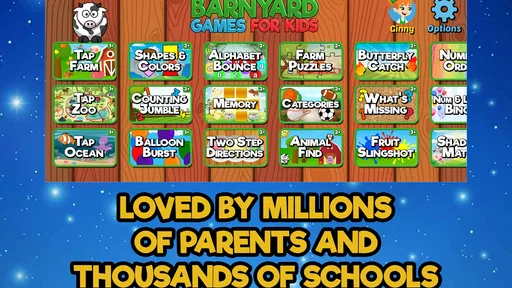
The app opens with a cute farm scene, and your child can select from a variety of games. Each game is focused on a different skill, like counting, matching, or even simple problem-solving. It’s like a smorgasbord of learning wrapped up in a fun package.
Exploring the Game Options
One of the first games we tried was the animal matching game. It’s a classic memory game where kids flip over cards to find matching pairs of animals. What I loved about this is that it not only helps with memory but also familiarizes kids with different animals and their sounds. Plus, the adorable graphics make it even more engaging.
Another standout is the counting game. Kids can learn numbers by counting animals, which is a neat way to combine visual learning with auditory cues. The app also has a fun coloring section, where kids can let their creativity run wild. Who doesn’t love a good coloring session?
Learning Through Play
The beauty of Barnyard Games For Kids is how it seamlessly blends play and learning. The games are designed to be short and sweet, keeping kids engaged without overwhelming them. And while they’re having fun, they’re also picking up important skills. It’s a win-win for parents and kids alike.
What I found particularly impressive is how the app manages to maintain a balance between education and entertainment. It’s not overly didactic; the games are genuinely fun, which means kids are more likely to play them willingly. And let’s be honest, anything that can keep a child entertained for more than a few minutes is worth its weight in gold.
Parental Controls and Safety
For parents, safety is always a top priority, and the app doesn’t disappoint in this regard. It’s free from ads, which is a huge plus because nothing ruins a fun game like an unexpected commercial break. Plus, the app ensures that all content is age-appropriate, providing peace of mind for parents as their kids explore the digital farm.
The app also offers a simple settings menu where parents can adjust the difficulty level of the games. This means the app can grow with your child, providing a challenge as they master each skill.
Making a short play session work
A useful way to introduce the game is to pick one activity before handing over the device. For example, during a wait at a café, you might start with animal matching and invite your child to find a pair, then switch to coloring if they want a calmer finish. Keeping the session focused can make the variety feel helpful rather than turning the home screen into a string of hurried choices.
It can also help to watch how your child responds to difficulty. If a challenge seems frustrating, try an easier setting; if it becomes automatic, let them explain their choices or count aloud. This makes the adjustable difficulty more than a parent convenience: it gives you a simple way to keep the activity within reach while still asking the child to think.
Good fit, and the moments to choose something else
I would consider this a good fit for preschool and early-elementary children who enjoy animals, can manage basic taps, and benefit from variety more than a formal sequence of lessons. The activities can also suit a caregiver who wants something easy to join in with, rather than a game that expects a child to read instructions independently.
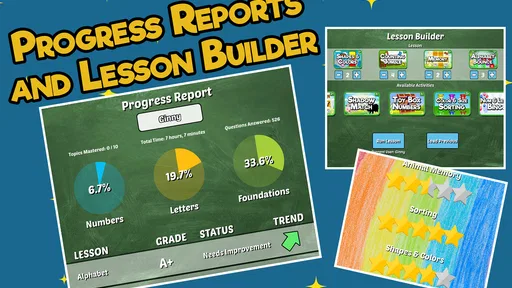
I would skip it if your main goal is a measurable school-style program, detailed reports on progress, or a focused course in one subject. A child who wants open-ended drawing may prefer a dedicated art app, while a child who is ready for more demanding puzzles may quickly outgrow the simpler pace here. The Everyone age rating is reassuring as a content label, but it does not replace a parent deciding whether the controls and activity level suit their own child.
Small trade-offs worth knowing
Twenty-four games in one can be a strength, but it also means the experience is broad rather than deep in any single skill. I would not expect repeated play to provide the same progression as a carefully sequenced math or literacy program. Instead, use the activities as brief practice and keep expectations modest: counting a group of animals or remembering a pair is a worthwhile little exercise, not evidence that a child has mastered a subject.
There is also a practical distinction between the free download and the full set of possible purchases. Before a child plays alone, I would review the purchase settings on the device and agree on a simple rule, such as asking an adult before tapping anything that appears to offer more content. This is especially useful when a child is still learning the difference between choosing a game and making a purchase.
For a shared device, I would also set it up before passing it over: open the game, choose an activity together, and keep the device’s purchase protections in place. That avoids asking a young child to navigate adult decisions while they are trying to play. If a child tends to tap rapidly through screens, sitting nearby is the more sensible choice than relying on an age label alone.
What to keep in mind over time
Because the game has been around for years and now sits at version 10.1.0, existing users may find it familiar, while a new family can approach it as a ready-made collection of short activities. I would judge any future change by whether it makes the games clearer or more useful for children, not simply by a higher version number. The best reason to keep it installed is that a child actually returns to the activities and enjoys them.
One question parents often have is whether it can replace a learning app used for school practice. I would not use it that way: its value is in low-pressure repetition and shared play, while a curriculum-focused app is a better choice when you need a planned sequence or a record of progress. Another practical question is whether a child can enjoy it without an adult nearby. The simple presentation helps, but I would still supervise younger children around device purchases and decide how long a session should last.
The game is available for devices running Android 8.0 or later. If you are choosing between it and a general collection of children’s games, the farm theme and the mix of matching, counting, and coloring give this one a more specific feel. If your child has no interest in animals, that theme may be less of a draw, and a broader collection could be the better pick.
Wrapping It Up
In the end, Barnyard Games For Kids is a delightful app that ticks all the boxes for a children’s educational game. It’s engaging, educational, and most importantly, fun. If you’re looking for an app that can entertain your kids while also sneaking in some learning, this is definitely worth checking out.
With its charming graphics, variety of games, and educational value, it’s no wonder this app has become a favorite among parents and kids alike. So, if you haven’t already, give it a whirl and watch your child’s face light up as they explore the wonders of the barnyard.
Verdict
Strengths of Barnyard Games For Kids
- Variety of educational mini-games.
- Colorful and engaging graphics.
- Simple interface for young users.
- Promotes fine motor skills.
- No in-app purchases or ads.
Limitations of Barnyard Games For Kids
- Limited content for older kids.
- Repetitive game mechanics.
- Requires internet for updates.
- No multiplayer options.
- Basic audio effects.
Other Releases by RosiMosi LLC
View All
Second Grade Learning Games
Educational4.1

Third Grade Learning Games
Educational3.9

First Grade Learning Games
Educational4.1

Preschool & Kindergarten Games
Educational4.2
Similar Picks in This Category
View All
Little Panda Policeman
BabyBus4.0

Monster Trucks Game for Kids 2
Raz Games4.1

Little Panda's Chinese Recipes
BabyBus4.4

Little Panda's Restaurant
BabyBus4.4

Little Panda's Ice Cream Games
BabyBus4.3

Baby Panda Care
BabyBus3.8
Frequently Asked Questions
What age group is Barnyard Games For Kids suitable for?
Barnyard Games For Kids is designed for young children, typically aged 2 to 6 years old. The app features simple, engaging activities that cater to early childhood development. With its colorful graphics and intuitive interface, it helps children learn basic concepts in a fun and interactive way.
Does Barnyard Games For Kids require an internet connection?
No, Barnyard Games For Kids can be played offline. Once downloaded, all features and activities are available without needing an internet connection, making it an excellent option for travel or situations where Wi-Fi is unavailable. This ensures uninterrupted playtime and learning for your child.
Are there any in-app purchases or advertisements?
Barnyard Games For Kids offers a distraction-free experience with no in-app purchases or advertisements. This allows children to focus entirely on the educational content without any interruptions. Parents can rest assured knowing that their child can explore the app safely and freely.
What types of activities are included in Barnyard Games For Kids?
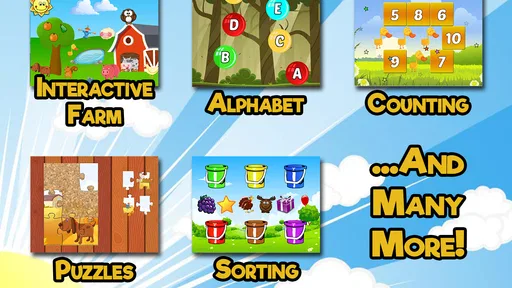
The app includes a variety of activities such as puzzles, matching games, counting exercises, and memory challenges. Each activity is designed to promote cognitive skills and reinforce basic educational concepts. The diverse range of games keeps children engaged and encourages them to learn through play.
Is Barnyard Games For Kids available on both Android and iOS?
Yes, Barnyard Games For Kids is available for download on both Android and iOS platforms. You can find it in the Google Play Store and the Apple App Store. This ensures compatibility with a wide range of devices, allowing more children to enjoy the app's educational benefits.
Play our best games!


